
AI companies have been hell-bent on creating coding agents that use computers like humans: Clicking buttons, scrolling through pages, and moving cursors around desktops. The promise is obvious, but the execution remains clunky.
The goal is to enable agents to operate software the same way people do, especially inside web apps and enterprise tools that lack clean APIs or integrations.
However, those systems can still feel cumbersome, often monopolizing browser sessions and working through tasks one screen at a time. That’s the problem OpenAI is now trying to tackle with a new Chrome extension for Codex.
Introduced on Thursday, the Codex Chrome extension lets agents operate directly inside a user’s live browser session, giving them access to signed-in websites, multiple tabs, and authenticated workflows without fully taking over the desktop.
The extension connects Chrome to the Codex app on Windows and macOS, allowing agents to interact with tools such as Gmail, Salesforce, LinkedIn, and internal web apps using the user’s existing browser state, cookies, and logged-in sessions.
Beyond screenshot-and-click agents
The launch builds on OpenAI’s “computer use” capabilities introduced in Codex in April. That allowed agents to operate desktop apps and browsers in the background while users continued working elsewhere on their machines.
However, OpenAI is now drawing a clearer distinction between generalized computer-use systems and a more browser-focused approach.
“OpenAI is drawing a clearer distinction between generalized computer-use systems and a more browser-focused approach.”
Previously, Codex largely relied on either structured plugins or broader computer-use tooling when interacting with browser workflows. Plugins remained the preferred route because they allowed Codex to work directly with services such as Slack, Gmail, and GitHub without manually navigating their interfaces.
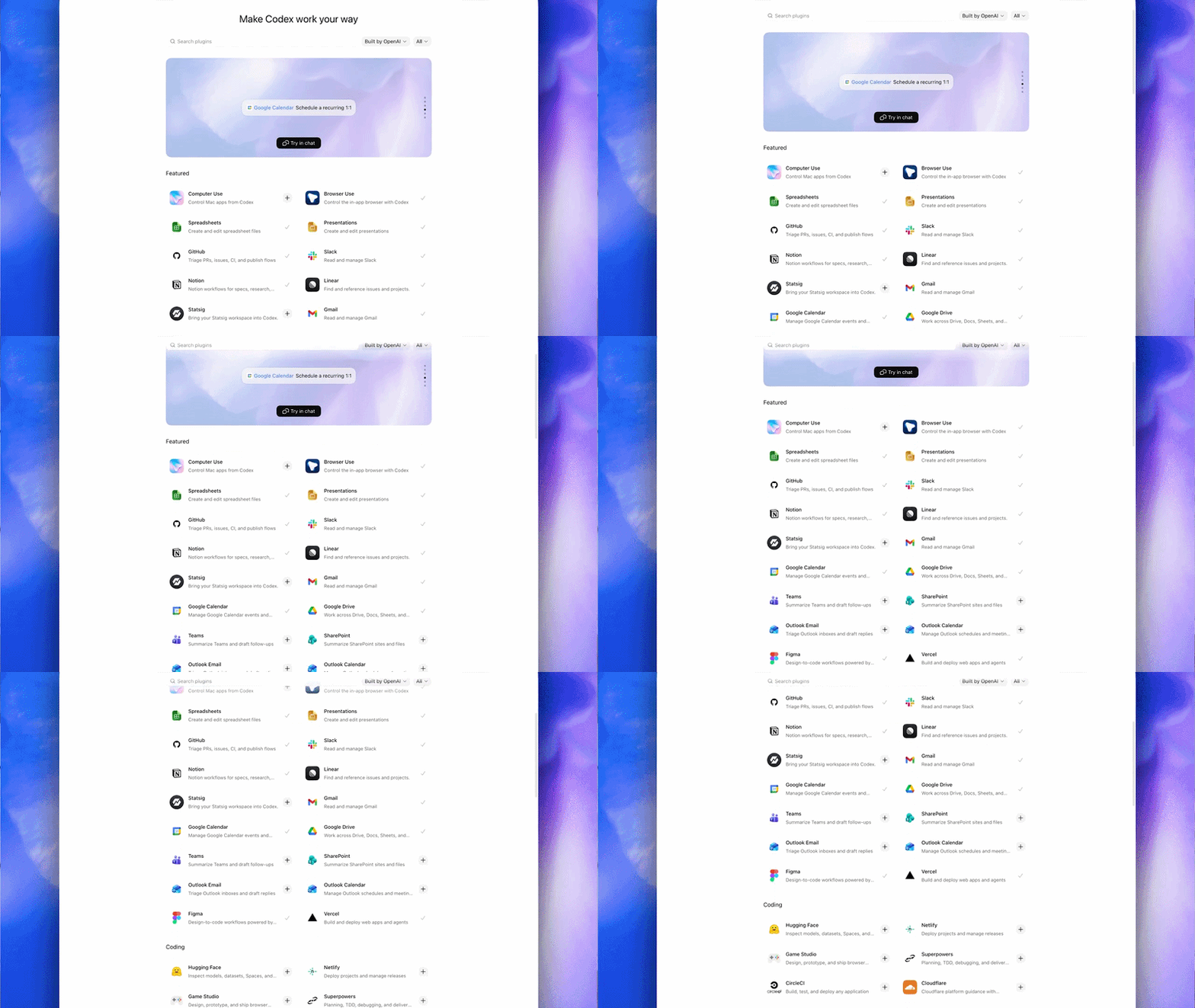
But many workflows still live inside full web applications, internal dashboards, or authenticated browser sessions that agents cannot easily access through integrations alone.
In a demo video accompanying the launch, OpenAI developer experience lead Dominik Kundel said the new extension avoids the traditional “screenshot, reason, move the mouse” loop common in many computer-use systems, where agents repeatedly analyze what’s visible on-screen before deciding where to click next.
While Codex could already operate Chrome through OpenAI’s existing computer-use functionality, it effectively treated the browser like any other desktop application, interacting with it visually one step at a time. The new extension instead connects Codex directly into Chrome itself, allowing it to work across multiple tabs, logged-in sessions, and browser tasks in parallel.
That difference matters because much of modern software work increasingly happens inside browser-based SaaS tools, internal dashboards, and authenticated enterprise apps that often lack clean APIs or structured integrations.
“Sometimes there is no plugin, or there is one, but the thing you need is only available in the full web app,” Kundel says. “And sometimes the context is actually the existing logged-in Chrome session. This is what the Chrome extension is for.”
“Sometimes the context is actually the existing logged in Chrome session. This is what the Chrome extension is for.”
Chrome and Codex come together
The Chrome extension is installed through the Codex app itself. Users first open Codex, navigate to the Plugins section, and add the Chrome plugin, which then guides them through connecting Chrome and approving the required browser permissions.
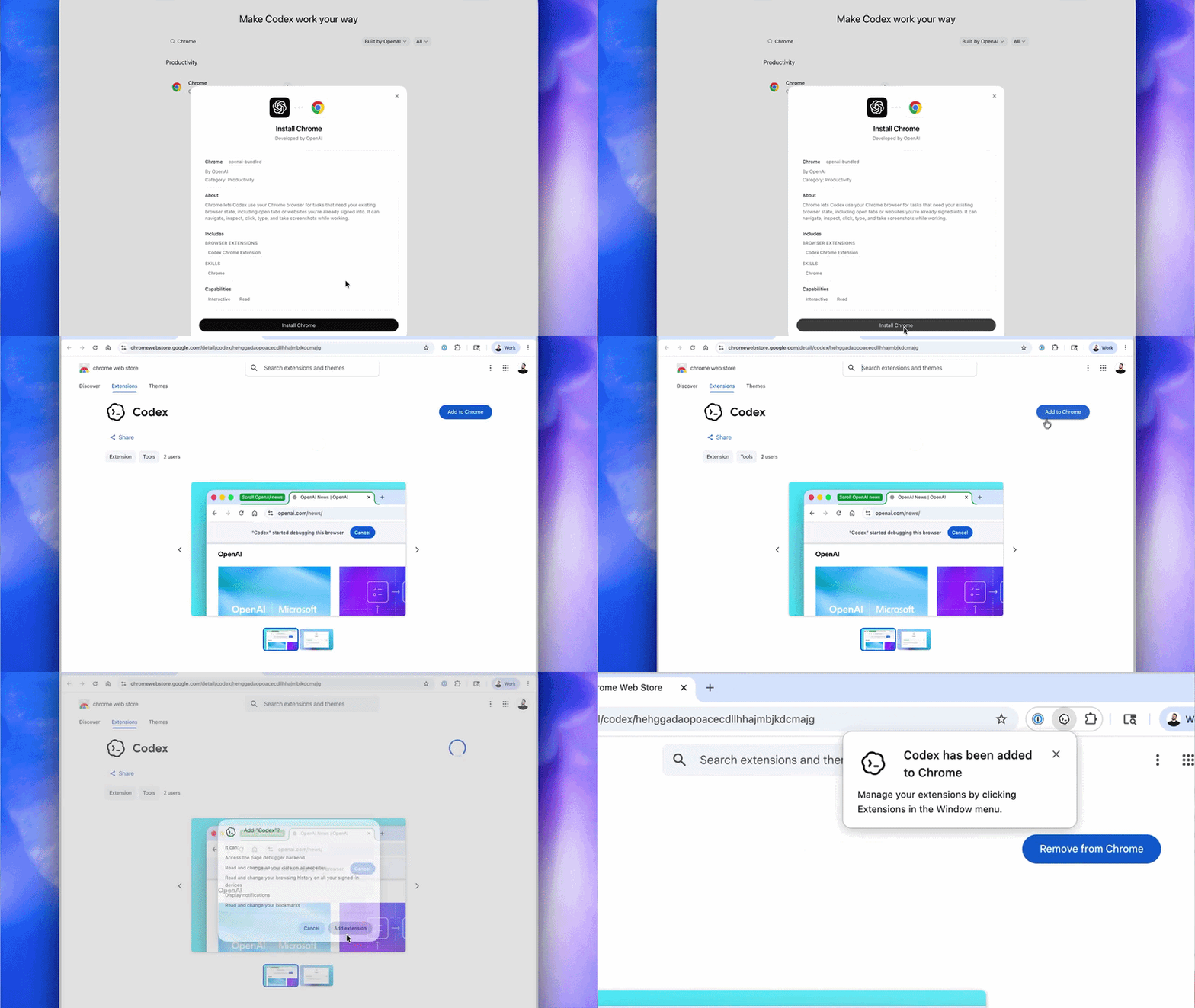
Once installed, Codex can invoke Chrome directly from prompts such as: “@Chrome open Salesforce and update the account from these call notes,” or “summarize the feedback and sentiment from community forum comments.”
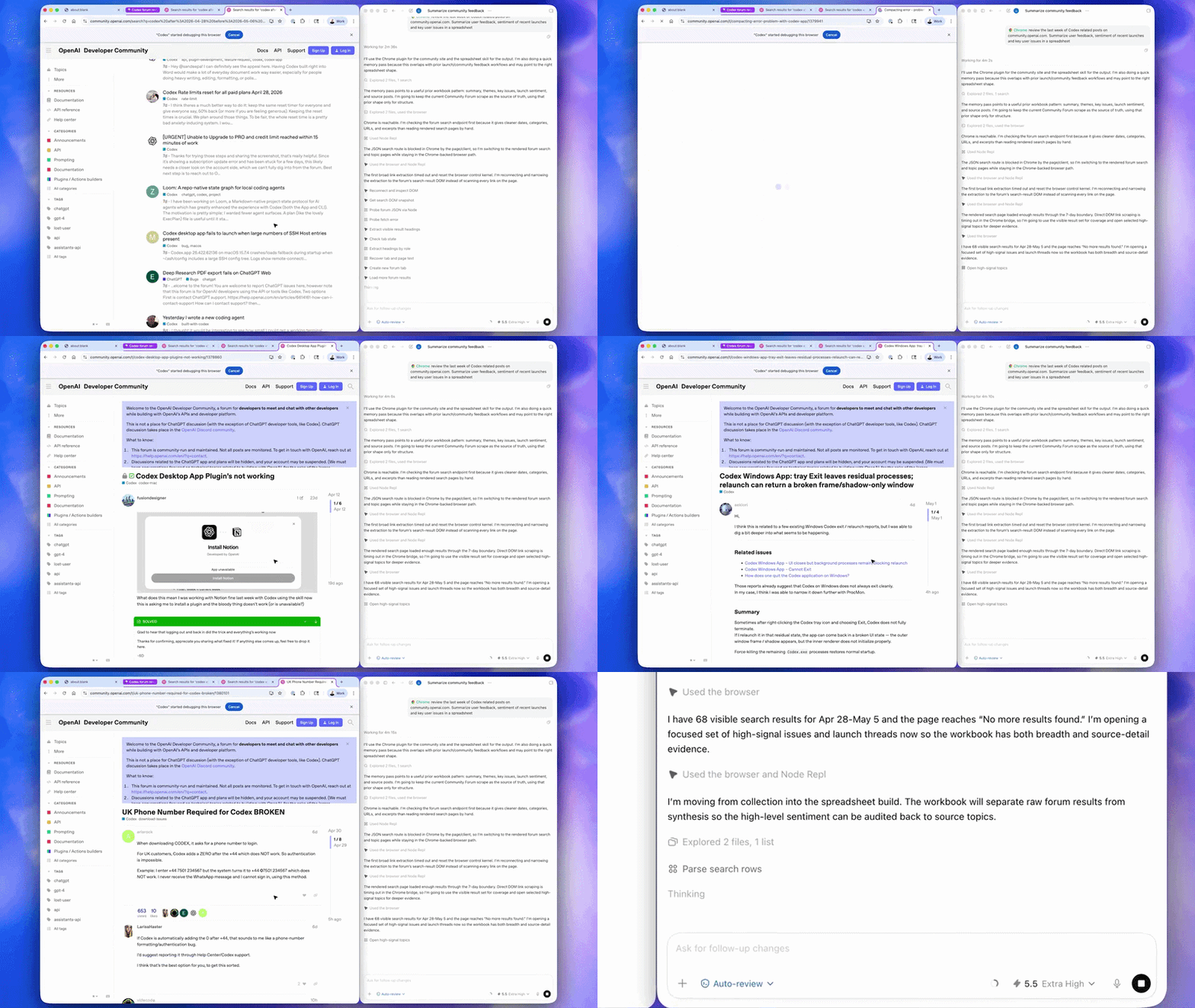
While OpenAI says Codex’s existing in-app browser remains better suited to localhost testing and frontend development tasks, the Chrome extension is designed for workflows that depend on a user’s live browser context and the full capabilities of Chrome itself. In the demo, Kundel showed Codex researching sentiment around product launches across multiple tabs simultaneously, identifying recurring feedback and pain points before compiling the results into a spreadsheet.
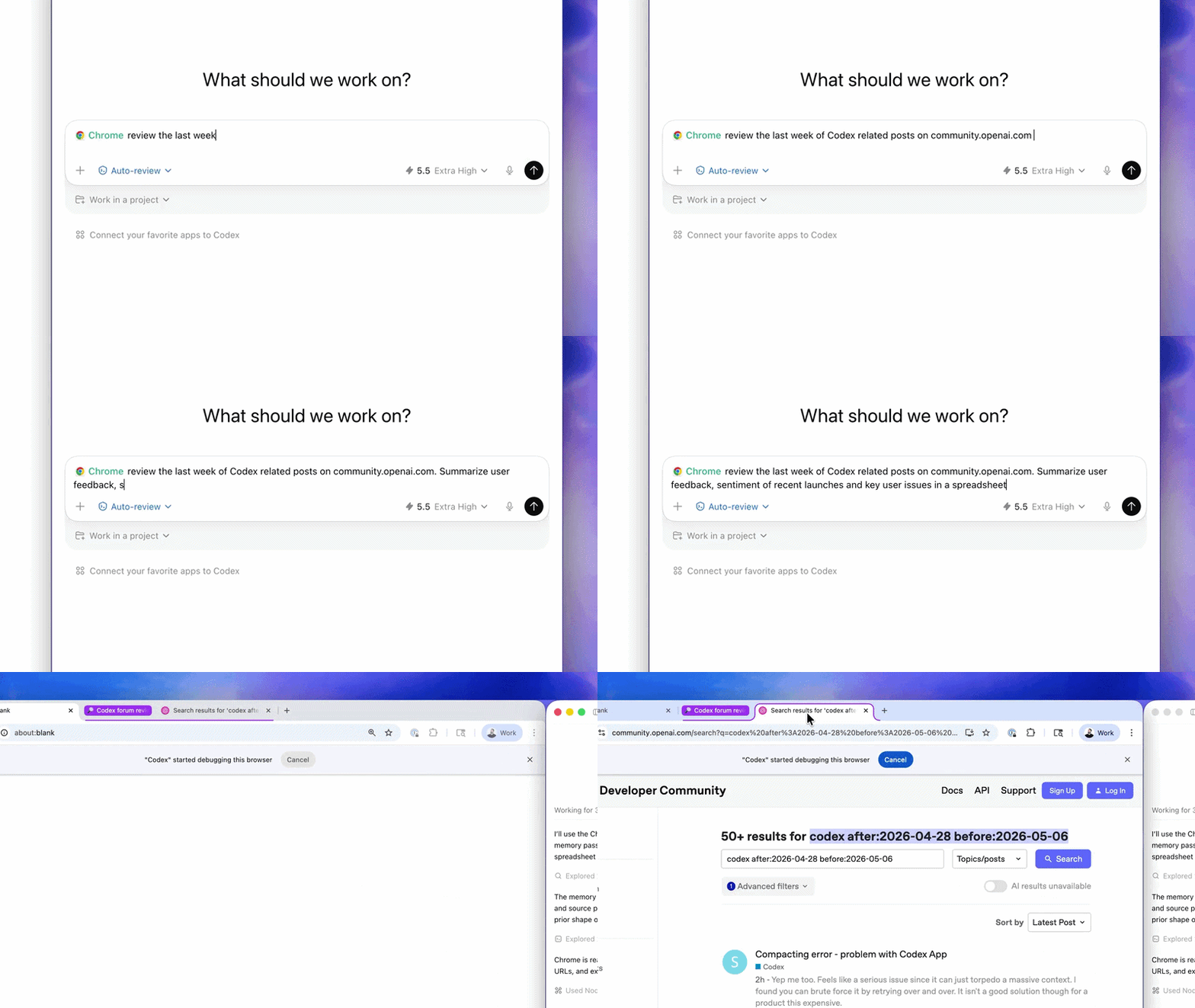
The extension is designed to sit between Codex’s structured plugins and its broader computer-use tooling. OpenAI says Codex can switch dynamically between integrations, Chrome, and its own in-app browser depending on the workflow, using direct plugins where possible before falling back to browser interaction when tasks require authenticated sessions or full web interfaces.
One of the key aspects of the extension is that it doesn’t commandeer the user’s active browsing session; instead, it groups Codex activity into its own isolated Chrome tabs. That allows agents to continue researching, navigating, and compiling information in the background while users keep working elsewhere in the browser.
This deeper browser integration also requires more permissions than a typical chatbot interaction.
According to OpenAI’s documentation, the extension may request access to browsing history, tab groups, downloads, bookmarks, website data, debugger functionality, and communication with native applications.
The company says Codex asks for confirmation before interacting with new websites unless users explicitly disable those prompts. It also notes that browser tasks can expose sensitive context because page content, authenticated sessions, and browsing activity may become part of the information Codex uses while completing tasks.
Access all areas
The launch lands amid a wider push toward browser-native agents across the AI industry — and increasingly, the browser session itself is emerging as the key battleground.
Anthropic has been moving in the same direction. Its Claude Chrome extension, which has been in beta since August, gives Claude Code the same ability to operate inside a user’s existing browser session — accessing authenticated apps, working across tabs, and handling workflows that lack clean API integrations. The company also expanded Claude Code and Claude Cowork with broader computer-use capabilities on macOS earlier this year. Meanwhile, French AI startup HCompany recently launched HoloTab, a browser agent that navigates websites in Chrome without requiring site-specific integrations.
And so a clear pattern emerges: agents moving closer to where work actually happens. Not operating computers from the outside in, but working inside the applications, the sessions, the contexts where modern work already lives.
The post OpenAI Codex arrives in the browser with new Chrome extension